Flight Master Weather & Settings
Tune visibility, time, and the rebuilt flight UI so Update 10 physics feel fair.
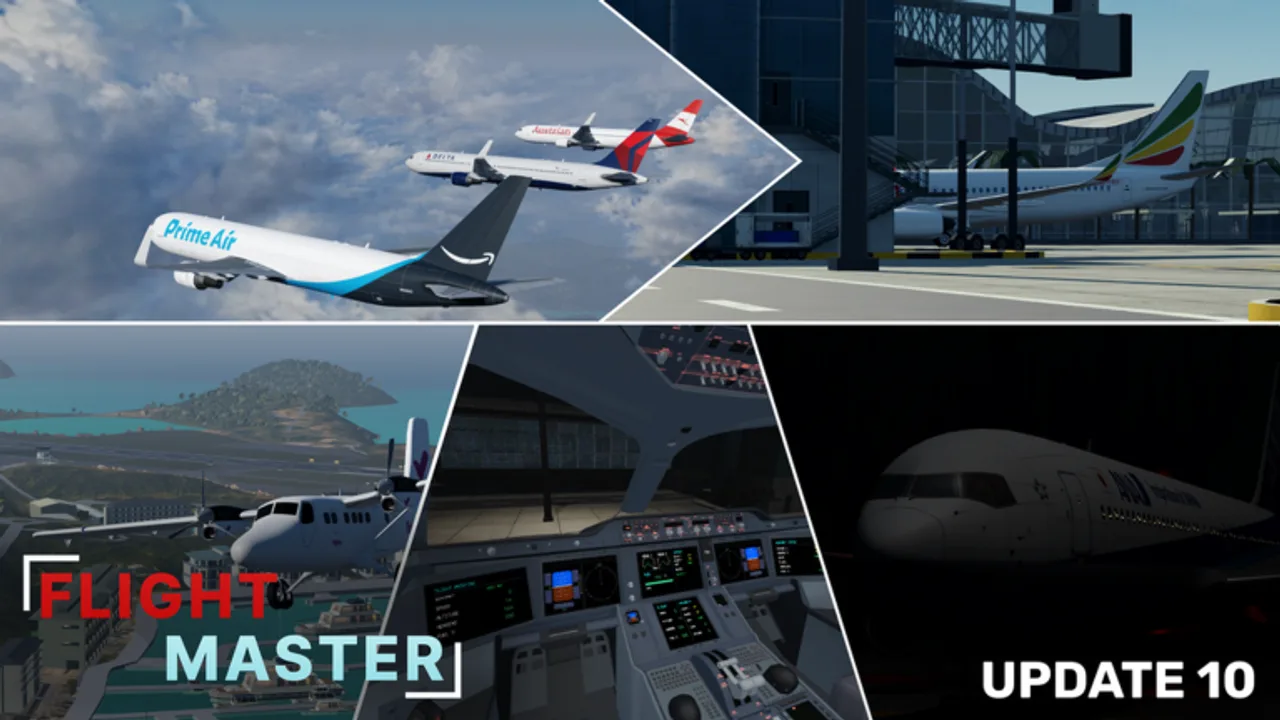
Update 10 rebuilt Flight Master weather, settings, and the flight UI. If volumetric clouds hide your runway or menus moved after the revamp, this guide restores a clean cockpit workflow before you blame the physics feel on landing.
Pair these steps with Controls for keybinds and the Airports guide when remodeled Hamilton Island or Doha Hamad sit under a cloud deck.
What changed in Update 10
Official notes call out:
- Weather rework — more believable ceilings and precipitation behavior
- Volumetric clouds — thicker visual weather that can mask coasts on short finals
- Settings revamp — reorganized graphics, camera, and accessibility toggles
- Flight UI revamp — relocated HUD modules for throttle, flaps, gear, and status
Older YouTube overlays may no longer match button positions. Trust in-game labels first, then community videos.
First-session settings checklist
- Open Settings from the main menu or pause HUD after spawning.
- Set graphics high enough to read runway lights, but lower shadows if you play on mobile or a low-end PC.
- Confirm camera sensitivity — mouse look should track smoothly without overshooting the centerline.
- Enable any taxi / landing light reminders if present so night circuits stay legal for ATC nights.
- Save once, rejoin a fresh server, and verify the choices stuck after the UI rescript.
If a toggle resets, note it in Discord via the Links Hub with your platform (PC/mobile/console client).
Weather presets that help training
| Goal | Weather choice | Why |
|---|---|---|
| Learn flare timing | Clear / high visibility | Removes excuses on takeoff and landing |
| Practice instruments | Broken clouds / haze | Forces earlier configuration |
| Cinematic shots | Golden hour + light clouds | Looks great on A350 / 767 |
| Stress test | Low visibility | Only after you can go around cleanly |
Volumetric clouds make “see the island, then dive” approaches dangerous. Descend earlier, brief the missed approach, and keep speed stable.
Flight UI modules to re-learn
After the revamp, walk every control once on a parked aircraft:
- Engine start / shutdown
- Pushback request or tug controls if shown
- Flaps and spoilers
- Gear lever confirmation
- Lights cluster (nav, strobe, landing, taxi)
- Camera presets (cockpit, chase, wing)
Then fly one empty pattern at a long runway before attempting short strips listed in Airports.
Mobile and console notes
Touch throttles need larger hit targets — lower UI scale clutter if the option exists. Console players should map camera and flaps to easy bumpers before joining busy 16-player servers. The mental checklist stays identical to PC: configure early, fly a stable path, flare, reverse, clear the runway.
Troubleshooting bad visibility
- Cannot find the airport — climb, request a vector from ATC, or self-navigate using coastline + compass while you open the map if available.
- Stutter in clouds — drop graphics one tier; volumetric effects are heavier than flat skyboxes.
- HUD covers the runway — reposition camera or hide non-essential panels during short final.
- Settings missing — you may be on a stale server; teleport or rejoin after patches listed on Updates.
Practice plan (30 minutes)
- Five minutes in Settings confirming sensitivity and graphics.
- Ten minutes of circuits in clear weather on a trainer from the tier list.
- Ten minutes with broken clouds at the same airport.
- Five minutes reviewing go-around calls so weather surprises do not become crashes.
Related systems
Weather discipline matters even more when you host Map Editor fly-ins — guests may spawn into your custom overcast. Brief them in Discord (Links) and keep a clear-weather backup preset.
For plane-specific cockpit readability after the A350 and 737 panel upgrades, continue with Liveries only after you can still read instruments under glare.
Keep notes after every patch
When the next update tweaks weather again, write down three lines: visibility default, best training preset, and any HUD module that moved. That tiny log beats relearning from scratch every trailer week.
Frequently Asked Questions
Quick answers for Flight Master pilots, ATC, and builders.
How do I change weather in Flight Master?
Open the in-game settings or weather menu after spawning, pick a preset, then verify visibility on a short hop before flying heavies.
Why can’t I see the runway after Update 10?
Volumetric clouds and the weather rework can hide coasts. Descend earlier, use lights, and go around if the field stays obscured.
Did Update 10 move the flight UI?
Yes. Re-learn flaps, gear, lights, and camera buttons on a parked plane before your first traffic pattern.
What settings help mobile pilots?
Lower heavy shadows, keep throttle controls reachable, and practice in clear weather before short island runways.