Getting Started in Flight Master
Your first-hour checklist for Roblox’s popular realistic flight sim.
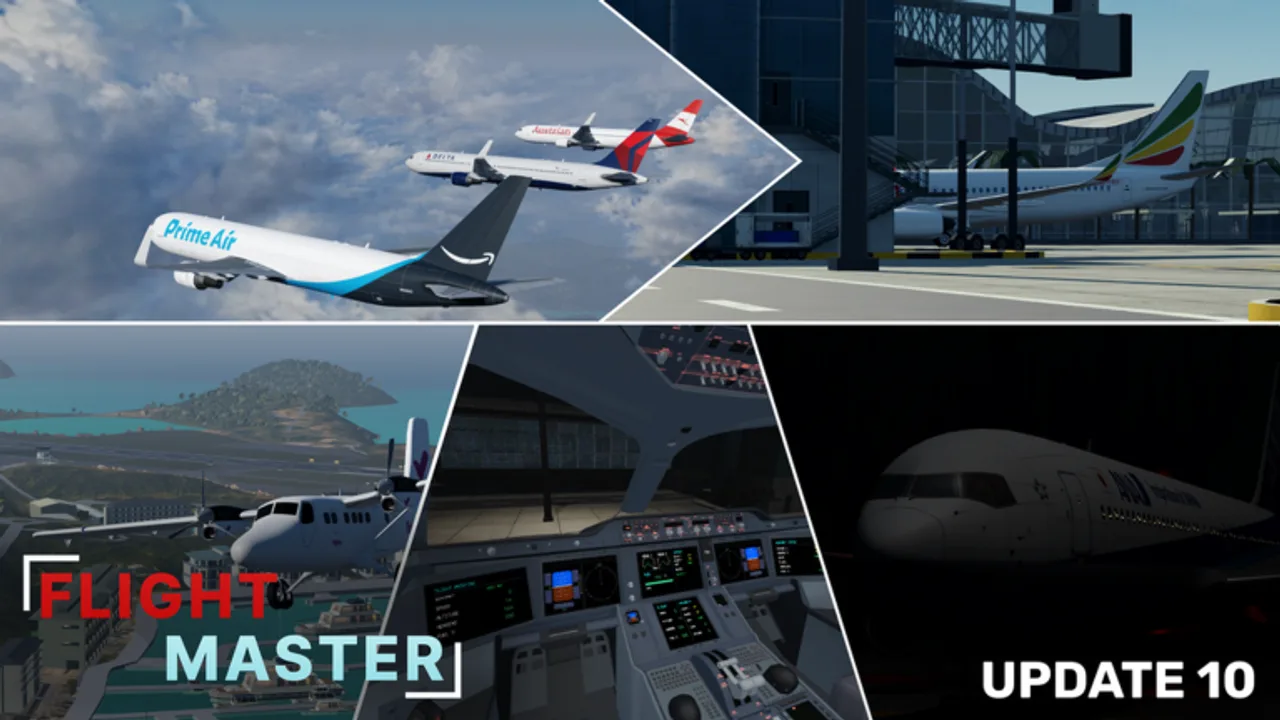
This Flight Master getting started guide takes you from the Roblox join screen to a completed landing. Flight Master by OctaGaming987 is a released vehicle-sim experience with realistic airports, animated cockpits, ATC, and a Map Editor. Servers hold up to 16 players, so learning basic etiquette early keeps everyone safe on the runway.
If you only remember three links after this page, make them Controls, Takeoff and Landing, and the plane tier list.
Before you press Play
- Favor the experience so it appears in your continue list.
- Join on a stable connection — physics reworks punish high ping during rotation.
- Use headphones to hear engine spool and ATC callouts clearly.
- Skim the latest bullets on the Updates Hub so menus match Update 10.
Step 1 — Choose an aircraft
Open the plane selector and start with a free or inexpensive narrow-body style jet. Avoid the largest Robux heavies on day one. Liveries change paint, not physics, so pick any airline skin you like on a forgiving airframe. Details on which planes feel best live on the tier list.
Step 2 — Pick an airport
Spawn at a long-runway field for your first flight. Remodeled Doha Hamad and large international layouts forgive long rollouts. Save Princess Juliana, compact island strips, and custom Map Editor airports for later (see Airports).
Step 3 — Cockpit and camera tour
Cycle exterior, wing, gear, and cockpit cameras. Update 10 improved several cockpits (A350, 737). You do not need every switch interactive to fly well — focus on throttle, gear, flaps, and lights.
Step 4 — Cold and dark to pushback
- Set parking brake if available in the UI.
- Power engines with E (toggle).
- Open lights panel (L) and enable navigation, beacon, and taxi lights as needed.
- Press P for pushback, clear the gate, then cancel pushback.
- Use A/D rudder to stay on the yellow line while throttling gently with W/S.
Full key notes continue in the Controls article.
Step 5 — Taxi and line up
Taxi slow enough to make exits. Hold short if another player is rolling. When the runway is clear, line up on centerline, set takeoff flaps, switch taxi lights off and landing lights on, and verify engines are stable.
Step 6 — First takeoff
Advance throttle smoothly. Around the speed community pilots call for your airframe (often near 150–180 KIAS on jets — confirm with airspeed tape), ease the mouse back to rotate. Positive rate — gear up. Climb away before any sightseeing turns. Deep technique lives in Takeoff and Landing.
Step 7 — Short cruise and return
Fly a simple box pattern: upwind, crosswind, downwind, base, final. Use the compass and exterior camera to judge bank. Weather and volumetric clouds from Update 10 can hide the field — descend early enough to reacquire the runway visually.
Step 8 — Landing and shutdown
Configure gear and flaps on schedule, keep a stable glidepath, flare gently, lower the nose, add reverse/brakes as appropriate, and exit the runway. Spin down engines only when clear.
First-hour goals checklist
- One full circuit without crashing
- Lights used correctly on taxi and runway
- Gear not left down the entire flight
- Visited the settings menu once after the revamp
- Bookmarked Codes and Updates
Optional next systems
When basic flying feels comfortable, try ATC for tower play or the Map Editor to build a private runway. Both are covered in dedicated guides and ownership notes on Players / Gamepasses.
Common beginner mistakes
- Full throttle while still facing the terminal
- Rotating with insufficient speed and stalling
- Landing a heavy on a short island without reading Airports
- Ignoring other traffic on final
- Downloading random scripts before learning stock controls
Practice plan for week one
Fly the same airport five times in a row with the same plane. Change only one habit per session (earlier flaps, smoother flare, better centerline). That deliberate loop beats hopping between every livery.
Where to get help
Official Discord and the developer’s YouTube channel announce planes and remodels. This wiki translates those changes into checklists. If a menu moved after a patch, trust the latest in-game labels and send feedback with screenshots.
You are ready for deeper systems pages — keep Controls open in another tab during your next flight.
Frequently Asked Questions
Quick answers for Flight Master pilots, ATC, and builders.
Is Flight Master free to play on Roblox?
Yes. The experience is free to join. Some aircraft and the ATC / Map Editor features use Robux gamepasses or purchases.
What should I do in my first Flight Master session?
Pick a beginner-friendly plane, spawn at a long runway, complete one full circuit, then review the controls and landing guides.
Does Flight Master support multiplayer?
Yes. Servers support online multiplayer with a maximum of 16 players, including mixed pilot and ATC roles.
Where do I go after Getting Started?
Read Controls, then Takeoff and Landing. After that, explore Airports, ATC, and the Map Editor.